
HELP & SUPPORT
How can we help?
Tell us what went wrong, or what you wish Dray did. We’ll reply by email, and you don’t need to sign in.
Write to us
Prefer email? Write to support@withdray.com.
Setup and troubleshooting
Browse the Field guide ↗What you need
- A Dray account. Create one here.
- Saving web chats needs Chrome (116 or later), Firefox (140 or later), Edge, Brave or Opera on a computer. Safari, phones and tablets can’t install the extension. Chats in the ChatGPT and Claude desktop apps, on your phone and in the Grok phone app are saved too, as long as the browser with Dray is running and signed in to that site. Coding-session capture uses the Dray CLI on macOS or Linux with Node.js 18 or later. Reading memory uses an MCP connection in your agent. Coding setup needs no browser extension.
- ChatGPT, Claude, Gemini or Grok on the web, or a coding agent or editor that supports MCP (see agent setup).
Dray never asks for your ChatGPT, Claude, Gemini or Grok password or provider API key. The Dray CLI connects coding agents with this computer’s sign-in, and can give you an access key for any other agent’s Dray sign-in page.
Set up Dray
Coding agents: start with the CLI
The Dray CLI sets up Claude Code, Codex, Cursor, Grok Build, OpenCode, Antigravity and Kimi Code in one go. It saves their sessions, connects each one to your memory directly and offers to import local session history. No browser extension is needed.
Web chats: use the browser extension
Install the extension.
On a computer, add Dray from the Chrome Web Store in Chrome, Edge, Brave or Opera, or from Firefox Add-ons in Firefox.
Sign in to Dray.
Open Dray from your browser’s Extensions menu. It opens in the side panel, or in Firefox’s sidebar. Choose Sign in to Dray, and a Dray tab opens. Approve the request there, using the account you use on this site. The first time, tick the box agreeing that Dray may store and analyse your conversations. If you have an access key from an older install, choose Use an access key instead.
Choose what Dray reads.
Pick the assistants Dray may read and how far back into your history it goes, from the last three days to all of it.
Have an export file? Import it from your dashboard’s Import tab. The tab also shows how to ask ChatGPT, Claude or Grok for one.
Files and images have their own switch, Remember files and images in your chats. It starts on, and it covers the files and images the assistant makes or shows in its replies as well as yours. Turn it off in the side panel if you want Dray to keep text only. The privacy policy says what Dray stores.
Connect each assistant.
Dray opens the assistant’s settings and fills in what it can. Setup presses Connect on Dray’s own approval page for you. Any warning box on the assistant’s page, such as ChatGPT’s, and Dray’s consent box are still yours to tick. Keep that tab open until setup says it’s done.
- ChatGPT
- Dray adds itself as a custom app. ChatGPT first shows OpenAI’s risk warning: read it and tick the box if you agree, and Dray does the rest. Adding apps needs a paid ChatGPT plan. On the free plan, Dray still saves your chats for your other assistants, but ChatGPT itself can’t look anything up.
- Claude
- Dray adds itself as a plugin under Customize, then asks you to connect it. Claude’s free plan has no plugins but allows one custom connector, so there setup offers Add Dray as a connector instead.
- Gemini
- You add Dray by hand: the side panel opens Gemini’s connectors and shows the steps. Choose + Custom, paste the server URL and choose Next, tick Google’s box, choose Connect and then Agree and continue, approve on Dray’s page, and choose Connect once more in Gemini. Custom connectors need a personal Google account with Keep Activity turned on.
- Grok
- Dray adds a custom connector, then you sign in to Dray to approve it.
Already using Dray on claude.ai? Memory saved to your Dray account is shared, but Claude Code is a separate client. Even if its Dray plugin syncs over, approve this computer for coding capture. The agent setup guide covers that sign-in and both directions.
Check that it works
Once an assistant is connected and Dray has saved a few of your chats, paste this into that assistant:
Use Dray to tell me what you remember about my current projects. If no memory is available, say so.Check the answer against what you actually said. Dray can take about 15 minutes to learn from a new message.
For a coding agent, check sign-in, capture and usage with the Dray CLI.
No memory in the answer?
- For a coding agent, run
dray statusfor sign-in, capture, its memory connection and pending uploads. If the memory connection is missing,dray mcp onconnects it again. For web chats, check the assistant’s connection in Dray’s side panel. - For web and app chats, check that the browser with Dray is running and signed in to the assistant’s site. Chats from the desktop and phone apps are read from the site in the background, about once a minute while the computer is in use and every 15 minutes when it isn’t. If the site is signed out, or that browser is closed, they aren’t saved until that is fixed; the side panel says when you are signed out. Chats from before you turned Dray on come in through Read my history.
- Check that memory isn’t paused. In the side panel the switch is Let agents use my memory. On your dashboard it’s Pause routine recall. Pausing deletes nothing, and Dray keeps saving new chats.
- Start your message with
/dray. That asks for memory directly, even while it’s paused. - Check usage in your dashboard, the side panel or
dray status. When your plan’s monthly allowance runs out, Dray stops learning new messages until the month resets. - Still nothing? Write to us and say which assistant you used.
Projects
A Dray project gathers the chats from every agent for one piece of work. Make one under Projects in your dashboard, then choose where its chats come from: a ChatGPT or Claude project, a DRAY.md project, or a folder you work in with a coding agent. You can add instructions and text files too.
Any agent connected to Dray can then open it: ask it to open the project by name. It reads the instructions and files, and searches the chats the project gathers. Those chats stay where they are, so deleting a project deletes only its instructions and files.
Agents can add to a project too. Ask one to save something to a project, such as a decision or a summary of the work, and it saves a note there, starting the project if you have none by that name. Each note says which agent saved it. An agent can update its own notes but never replaces a file you added, and only you can change a project's instructions or delete anything.
Links and hand-offs
There are two ways to bring another assistant in. A hand-off sends it one chat to read. A link lets several chats talk to each other.
Ask another assistant about a chat
On a chat Dray has saved, open the Dray menu and choose Ask Claude about this chat, or ChatGPT, or Grok. To ask about a single message, use Ask in that message’s menu. Dray opens the other assistant in a new tab with the request already typed. Read it, then press Send yourself. Dray never sends it for you.
The other assistant can read the whole chat and any files saved with it, not just one message. If it says it can’t find the chat, Dray may still be saving it. See when a hand-off can’t find its source.
Link chats so they can talk
Type /link in one chat to get a code. If that chat is already linked, Dray asks first; /link new starts a new link without asking. Then type /link and the code in another chat, in the same assistant or a different one. Codex is the exception: its commands start with $, not /, so there you type $link, or $link and the code. The chats can then post messages to each other. An assistant only acts while it’s answering you, so give each chat its own instructions.
A link is private unless you say otherwise, so only your own chats can join. On an approval link, people with other Dray accounts ask to join. You approve them on the Links page of your dashboard or in the side panel. On a public link, anyone with the code joins straight away.
Links are included in every plan. Every 10 messages an account’s chats post to links count as one lookup on that account’s plan, and any file posted with them counts toward that account’s file storage. Once an account has used all its lookups for the month, its chats can still read links and look things up in memory, but can’t post to links until the month resets.
If no other chat joins a link within 24 hours, it ends. Once another chat has joined, the link stays open until you close it, unless you give it an end date, from 1 hour to 30 days away. A link that reaches its end date can be reopened for 7 days, on the Links page of your dashboard or in the side panel. Closing a link is final.
To take a chat off a link, type /unlink in it ($unlink in Codex). The other chats carry on without it. That includes the chat that made the link: your next chat on the link takes over. If you’d rather the link end when that chat leaves, turn off Keep a link going under Leaving, in the side panel’s Links. An ended link can be reopened for 7 days.
When a code has run out, Add a chat on the Links page of your dashboard and in the side panel makes a fresh one. A chat on a link can post a one-line status, starting with Status:, to say what it is working on. It shows beside the chat’s name and wakes no one.
A private link’s code works for any number of your own chats for 24 hours. Codes for approval and public links work once, within 10 minutes. Every chat in a link can read what’s posted to it, and the privacy policy says who else can.
See two linked chatsTerminal chat links
Use dray links to list and read your links in the terminal, search their messages and download files. The video walks through those commands. See the commands.
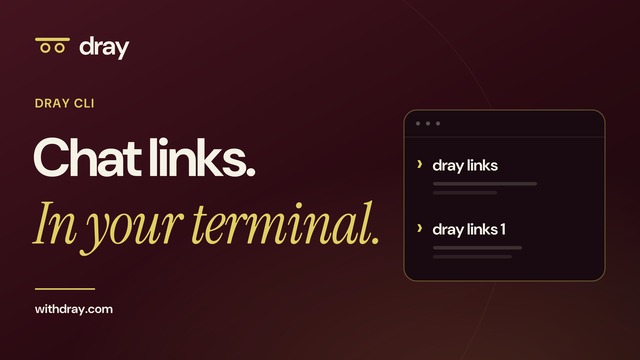 Watch chat links in your terminal
Plans and your data
- Change or cancel your plan
- Open Billing on your account page. Each plan sets how many messages Dray learns from and how many times your assistants can look things up each month. Every 10 messages your chats post to links count as one lookup. The usage page explains the meter.
- Ask for a refund
- Write to us from the email you signed up with, and choose Billing as the topic. We refund a new subscription in full if you ask within 30 days of your first payment. The plan then stops renewing and ends one month after the period you paid for began.
- Stop one assistant reading your memory
- Remove its connection in that assistant’s settings. For a coding agent that
dray setupconnected, rundray mcp offinstead: it removes the connection and the rules that let its read tools run without asking, and revokes its key. An agent that signed in to Dray on its own, like one you built, can also be disconnected from its page in the side panel. To stop all of them at once, pause memory in the side panel. Your memory stays where it is. - When a plan ends
- Dray keeps saving your chats for 30 days and keeps your memory, so it is there if you come back. If the account goes 24 months without a plan, we delete it and everything in it, after emailing you a month before.
- Report something posted to a link
- Email support@withdray.com with Report in the subject, and say which link it was and what was posted. The terms say what happens next.
- Delete your account and data
- Email support@withdray.com from the address you sign in with. We delete your account and everything Dray stored for it within 30 days. The privacy policy covers your other rights.
Still stuck?
Tell us what you tried. We’ll reply by email.